Variables
This functionality is only available on paid plans. Check our plans here.
Variables allow you specify values to reuse across all your rules, without having to repeat that value multiple times, making your rules cleaner and quicker to modify. You can access the variables panel from the tweak toolbar.
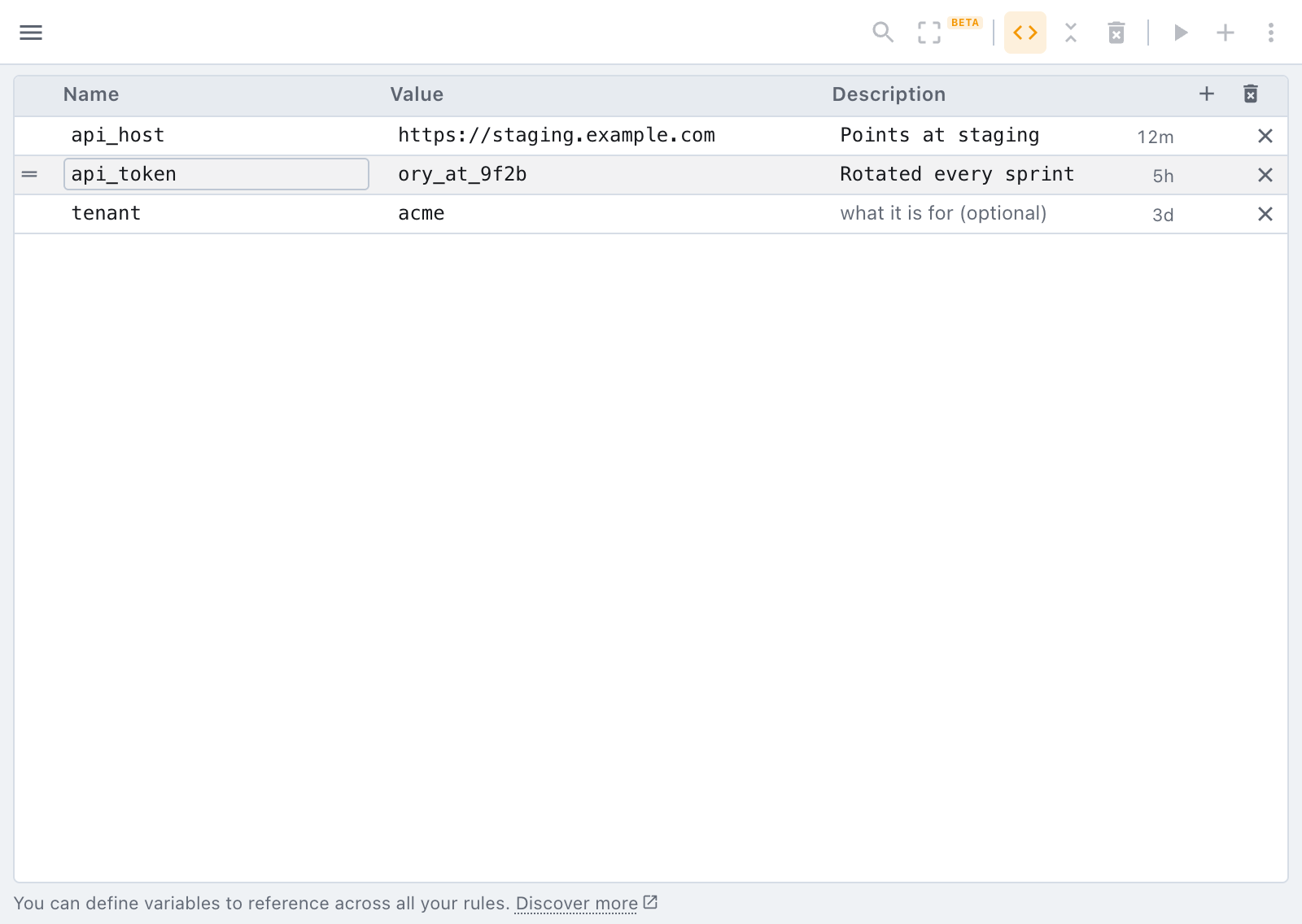
Each row carries a name, its value, and an optional description. The right edge of the description shows how long ago that variable was last changed ("12m", "5h", "3d"), which is usually enough to tell a token you rotated this morning from one that went stale weeks ago.
Rows can be reordered: drag the handle that appears at the left of a row when you hover it, walk a row with the arrow keys while the handle has focus, or click the Name heading to sort the whole table alphabetically. The order is yours to arrange, nothing downstream reads it.
To reference a variable use the following syntax:
{{<VARIABLE_NAME>}}
Let's for example use the above specified variable to interpolate it with some JSON:
{
  "token": "{{custom_token}}"
}
Variables used to be written $tweak.var.<name>. They are {{<name>}} now, and tweak rewrites
your existing rules for you the first time it runs after the update, there is nothing to do by
hand. Generators are unchanged and keep their $tweak. spelling.
The one place nothing is rewritten is the JavaScript of a
hook, because rewriting your own code is riskier than leaving it
alone. $tweak.var.x never resolved inside a hook anyway: use vars.x there, or {{x}}, which
a hook's source now does resolve.
Variables can be accessed from the top toolbar, and they offer you a simple table where you can specify a variable name and its value. Variables can be referenced across all editors:
In header cells and in urls
Variables are not only for the editors. They also work in:
- Every header cell, name and value alike, on both tables and on every rule type, including headers only rules. See headers.
- The url expression of every rule, and the replacement url of a redirect rule.
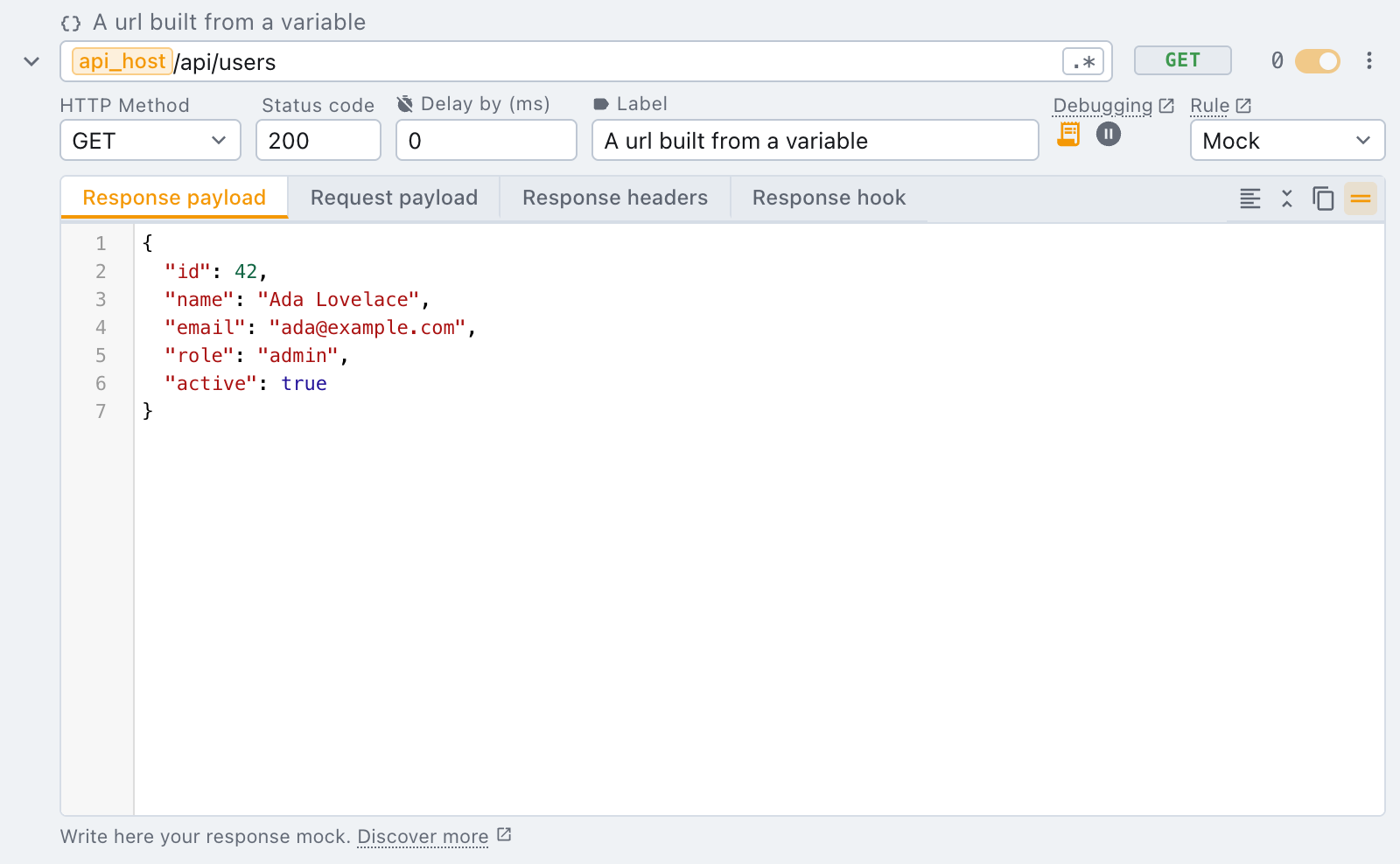
In a url, tweak paints each token as a chip over the field, so a long value does not turn the expression into something you cannot read. Click into the field and the raw token is there, exactly as you typed it. Pressing backspace on a chip removes the whole token rather than one character of it.
A generator produces a fresh value every time it runs, and a url is a matcher: a generated one would
match nothing twice. So urls accept {{variables}} only, while header cells accept both.
Typing {{ in any of these fields opens a suggestions list with your variables in it, so you do
not have to remember the exact name. (Typing $ opens the generators, in the fields that take them.)
It's also possible to access a plain JavaScript object that holds all the defined variables when writing a response hook script. To be able to access variables programmatically in the script you'll be provided variables through context.
Only alphanumerical and _ (underscore) are considered valid characters for the variable name.
Types
Every variable has a Type, picked in its own column: string (the default), number or
boolean. tweak never guesses it from the value, so 123 stays a string until you say otherwise.
The type decides what lands in a JSON payload. A number or boolean variable replaces the quoted
token quotes included, so with a boolean is_admin set to false:
{
  "name": "John Doe",
  "isAdmin": "{{is_admin}}"
}
the page receives "isAdmin": false, not the string "false". The payload stays valid JSON while you
edit it. A boolean's value is a true / false picker, and a number whose value is not a number is
flagged in the table. Hooks see the typed value in vars as well.
A variable's value can reference other variables ({{scheme}}://{{host}}), in any row order.
Environments
Environments are named sets of variables: local, staging, production, one picked at a time.
Switch environment and every rule using {{host}} points at the other backend, without editing a
single rule.
Create the first one from the variables panel with Create environment: give it a name, an optional description and a colour. The panel then shows a tab for Global and one per environment: pick one, and the table below shows (and adds to) that set of variables. The environment in use is marked In use.
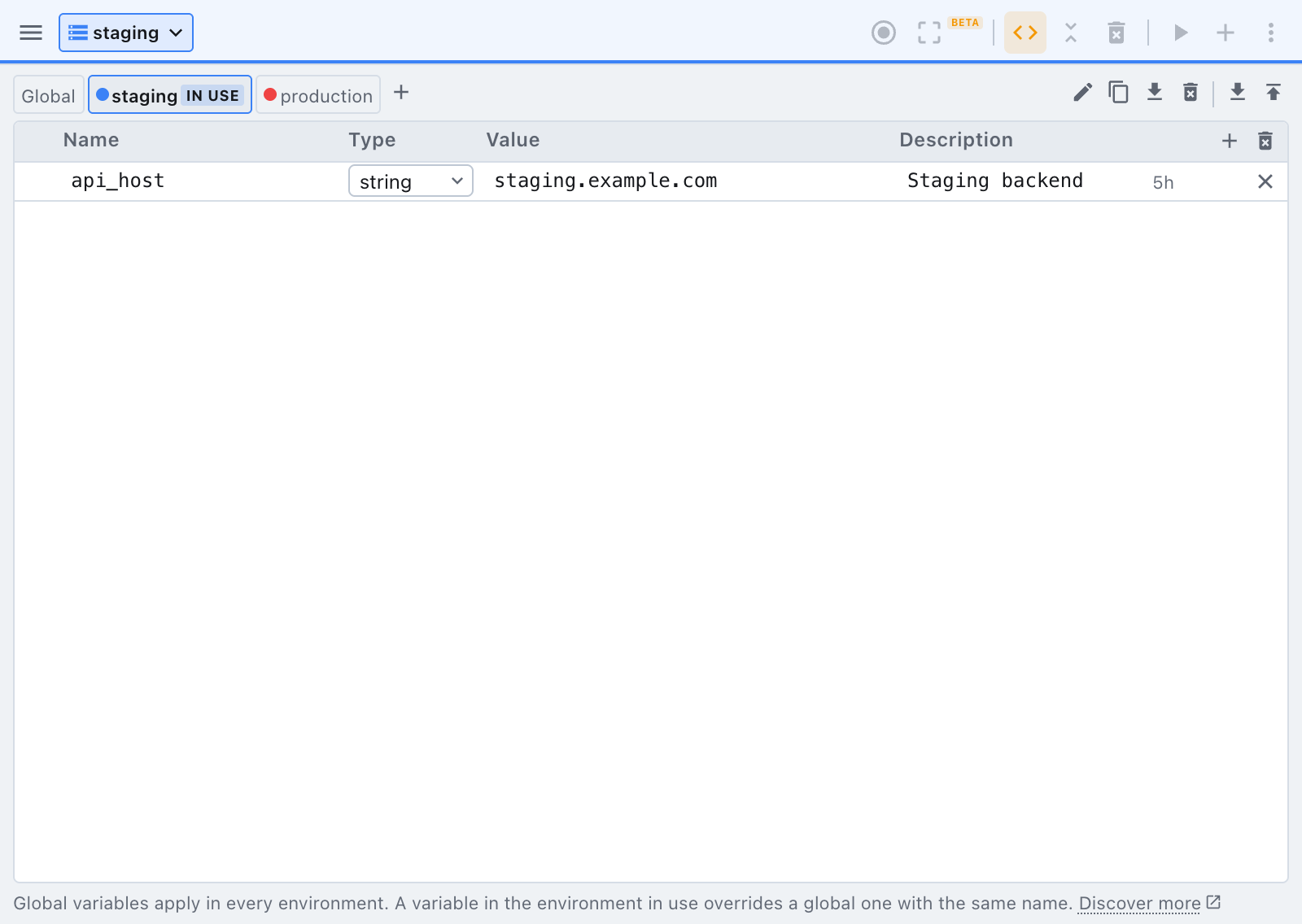
- A variable in Global applies in every environment.
- A variable in an environment applies only while that environment is picked, and overrides a global
variable of the same name. Keep what never changes (
scheme,api_version) global, and only what differs per environment in the environments.
Once an environment exists, a picker appears in the top bar. Picking one paints the bar in its colour, so you can tell at a glance which backend you are pointed at, and the pick sticks until you change it. No environment means globals only.
From the panel you can also duplicate an environment (handy to start staging from production),
export or import one or all of them, and delete one (its variables go with it). A full
export carries your environments too.
Need something else? Request a feature