Rules
A rule is a set of configurations that tell tweak how to intercept and modify a request. Every rule starts with the same two things (a url expression to match and an HTTP method) and then differs in what it does once a request matches.
There are four rule types, and the one you pick decides everything else about the rule: which fields you get, which requests it can reach, and whether it needs tweak to be running.
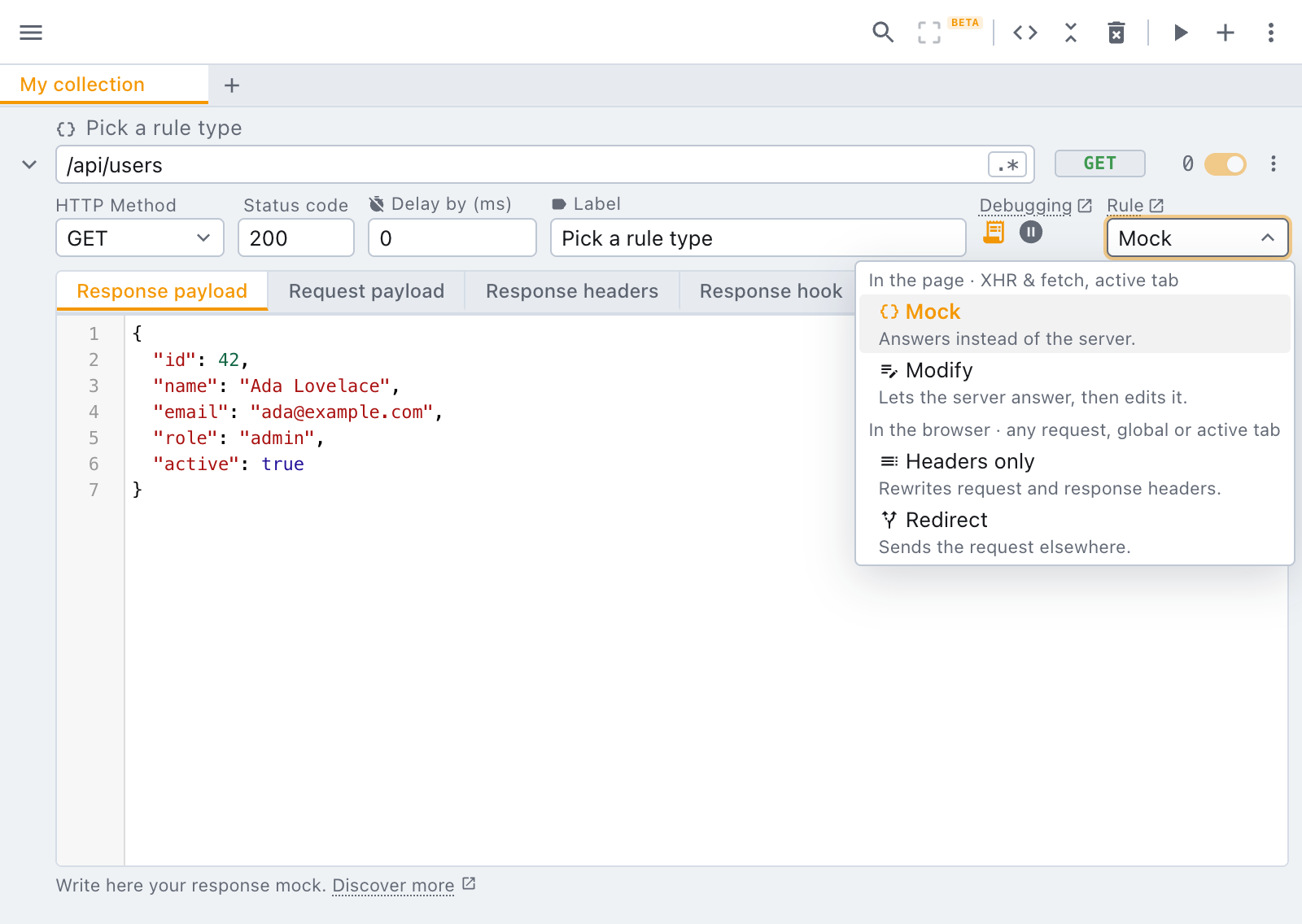
When to use each rule type?
| Rule type | Use it when… | Plan |
|---|---|---|
| Mock | The endpoint does not exist yet, is broken, is slow, you want a fixed answer you fully control or you simply don't care about the real server response | Free |
| Modify | You want the real response, or a slightly modified version of it, with a few things changed: one field, the status code, a header. | Paid |
| Headers only | If only the headers matter for you. | Free |
| Redirect | The request should go somewhere else entirely: a local server, a different version of the API, a fixture. | Free, unless you want to target specific assets (e.g. only images) |
Capabilities break down
Mock and Modify run inside the page: tweak wraps fetch and
XMLHttpRequest, so they see exactly what your JavaScript asks for, and nothing else. Headers only and
Redirect are applied by the browser itself, so they see every request, including ones your code never
makes.
| Mock · Modify | Headers only · Redirect | |
|---|---|---|
| Applied by | tweak, inside the page | the browser itself |
| Reaches Fetch / XHR | ✅ | ✅ |
| Reaches page navigations, scripts, images, stylesheets, fonts | ❌ | ✅ |
| Can rewrite the response body | ✅ | ❌ |
| Can run hooks and debugging tools | ✅ | ❌ |
| Works when tweak is stopped | ❌ | ✅, with the Global scope |
| Counts intercepted requests | ✅ | ❌ |
| Known limitations | service workers, document bodies | no body rewriting |
Common scenarios
| I want to… | Rule type |
|---|---|
| Build a screen against an API that is not ready yet | Mock |
Reproduce a 500, a timeout, or an empty list | Mock |
| Demo or work on an app offline | Mock |
| Change one field of a real response and keep the rest | Modify |
| Keep the real response but override its status code | Modify |
| Rewrite the outgoing request payload before it is sent | Modify |
| Add an auth or feature-flag header to every API call | Headers only |
Strip Content-Security-Policy from a page so it loads in an iframe | Headers only |
Set a cookie on the response, or append a second Set-Cookie | Headers only |
Point the production API at http://localhost:3000 | Redirect |
| Swap a bundled script or stylesheet for a local build | Redirect |
| Break an image on purpose, or swap it for a very large one | Redirect |
Move /v1/ calls onto /v2/ without touching the app | Redirect |
The anatomy of a rule
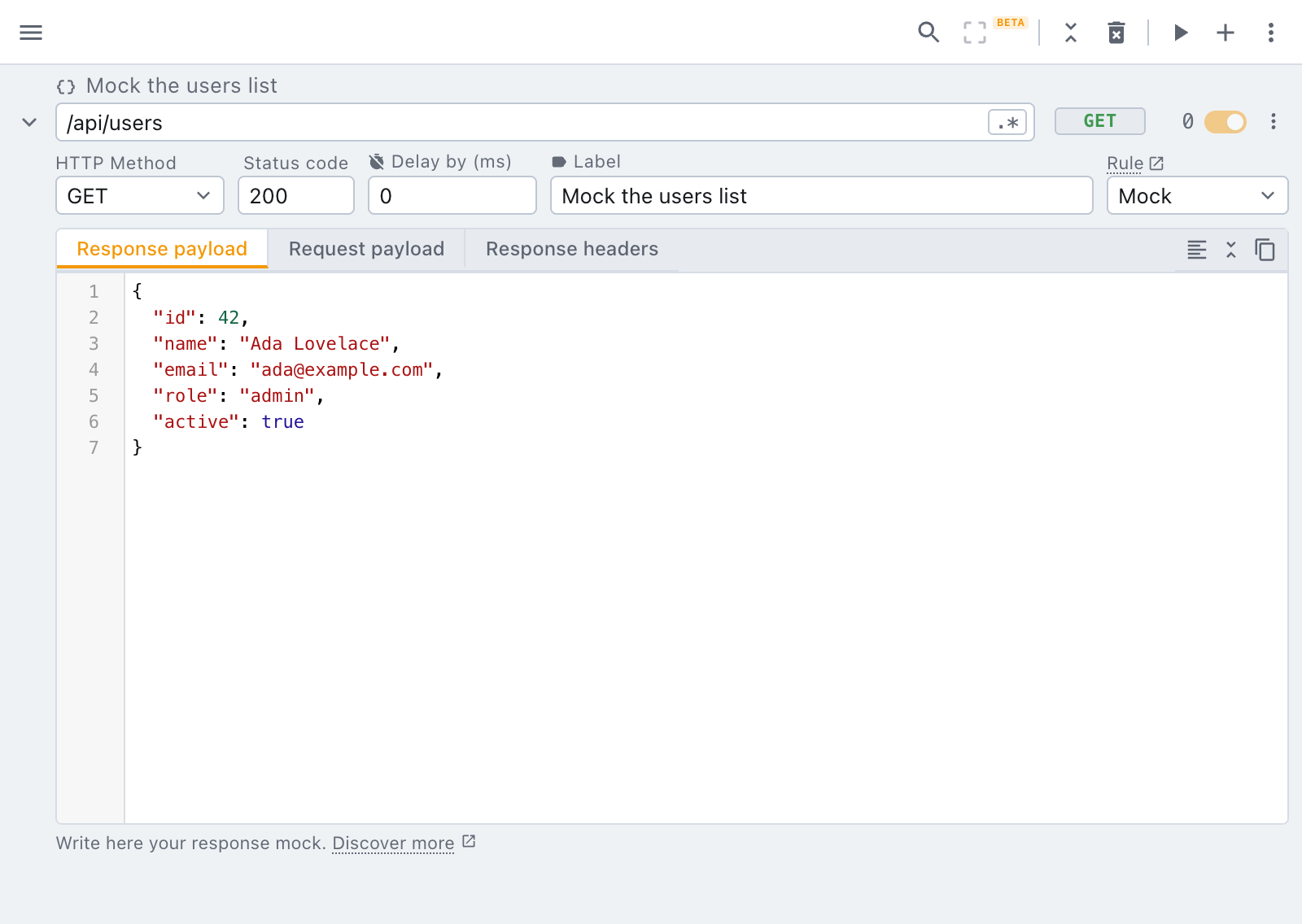
Below, a rule on the free plan.
Below, a rule on a paid plan.
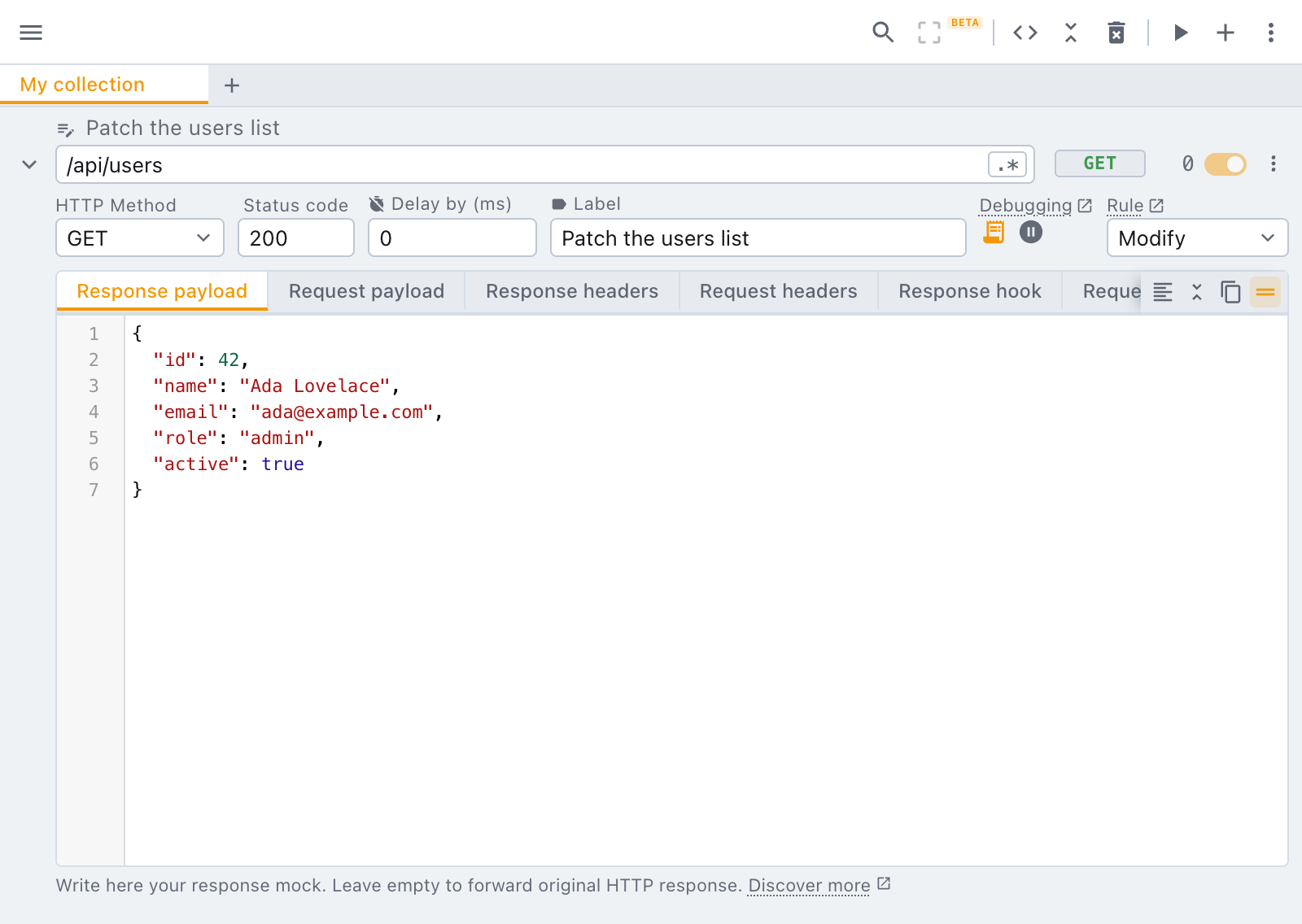
The fields shared by every rule type are covered in the introduction. What each type adds on top is covered in its own section:
- Mock and modify rules: payload, status, delay, headers, hooks
- Headers only rules: the header table, operations and scope
- Redirect rules: where the request goes instead
Finding a rule
Once you have two rules or more, the magnifier in the toolbar (or Ctrl + K, ⌘ + K on Mac) opens a search over your rules' labels and URLs. On a paid plan it covers every collection too, and collection names. Pick a hit and tweak opens its collection, scrolls to the rule and highlights it.
Every word you type has to match. Narrow the list further with filters:
| Filter | Values | Example |
|---|---|---|
method: | any HTTP method, or any for * | method:post |
rule: | mock, modify, headers_only, redirect | rule:redirect |
scope: | global, active_tab (header and redirect rules) | scope:global |
A value can be cut short (rule:mod), and repeating a filter matches either value
(method:get method:post).
Notes
A rule you share has to explain itself. Every rule, whatever its type and on every plan, has a Notes tab: up to 10,000 characters of markdown to say what the rule is for, when to turn it on and what it breaks.
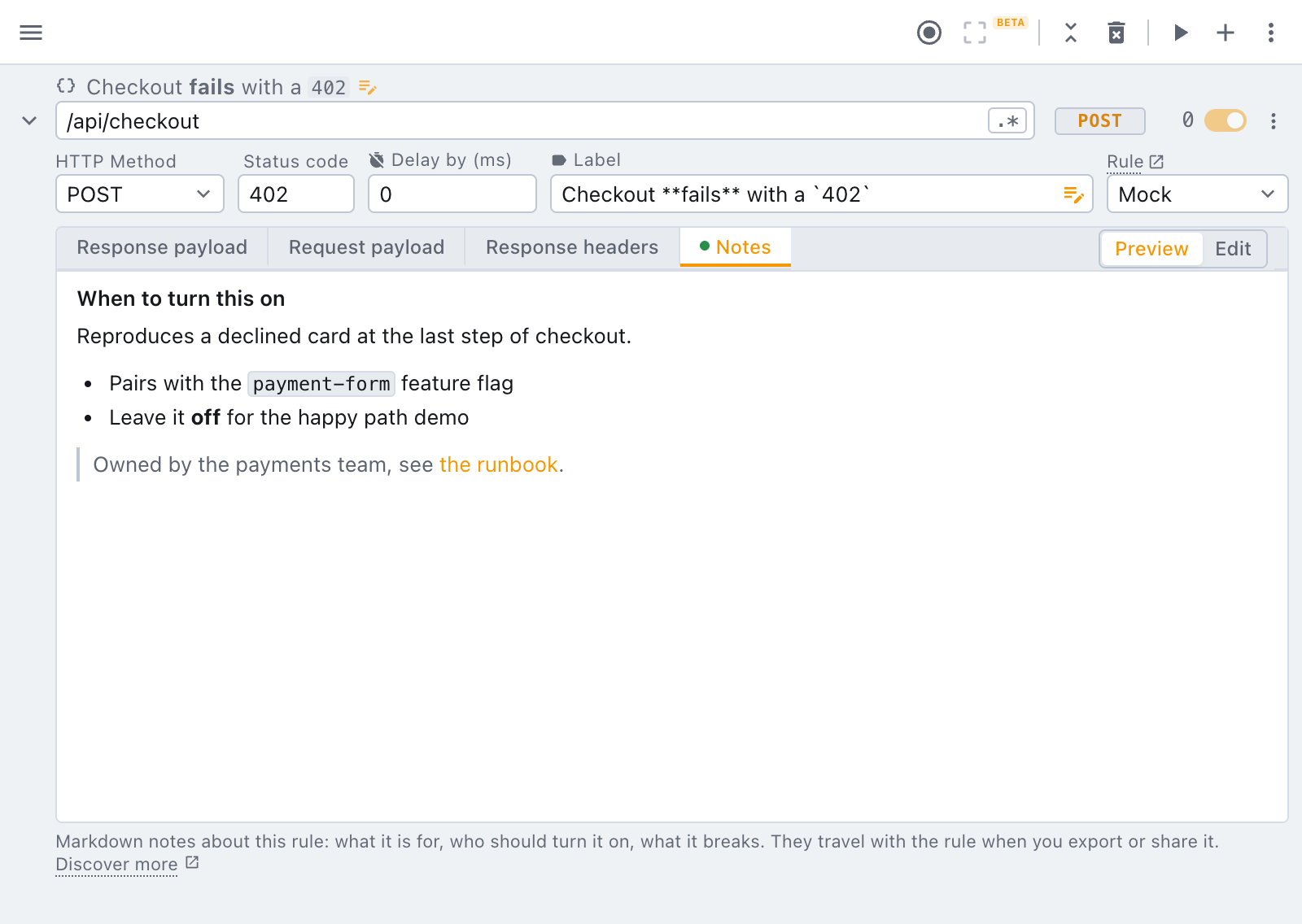
Notes open in Preview. Switch the tab to Edit to write them; the counter tells you how many characters you have left.
Reading a rule's notes
A rule that has notes shows a small notes icon next to its label, even while the rule is collapsed. One click opens the rule on its Notes tab, so whoever you share a rule with does not have to go looking. A rule without notes shows nothing extra.
Notes and labels travel inside an export, so an exported collection arrives documented.
What markdown is supported
- Inline:
**bold**,_italic_,~~strike~~,`code`,[text](https://example.com)and barehttps://links. - Blocks: headings (
#to######), paragraphs, bullet and numbered lists (one level),>quotes, fenced code blocks and---breaks.
Links open in a new tab. Images, tables and raw HTML are not rendered, on purpose: a rule someone shared with you can never load anything or run anything just by being read.
Markdown in the label
The label above a rule's url understands the inline half of the same vocabulary, and holds up to 256
characters, so a label such as Checkout **fails** on a declined card renders the emphasis right on
the rule row.
Need something else? Request a feature